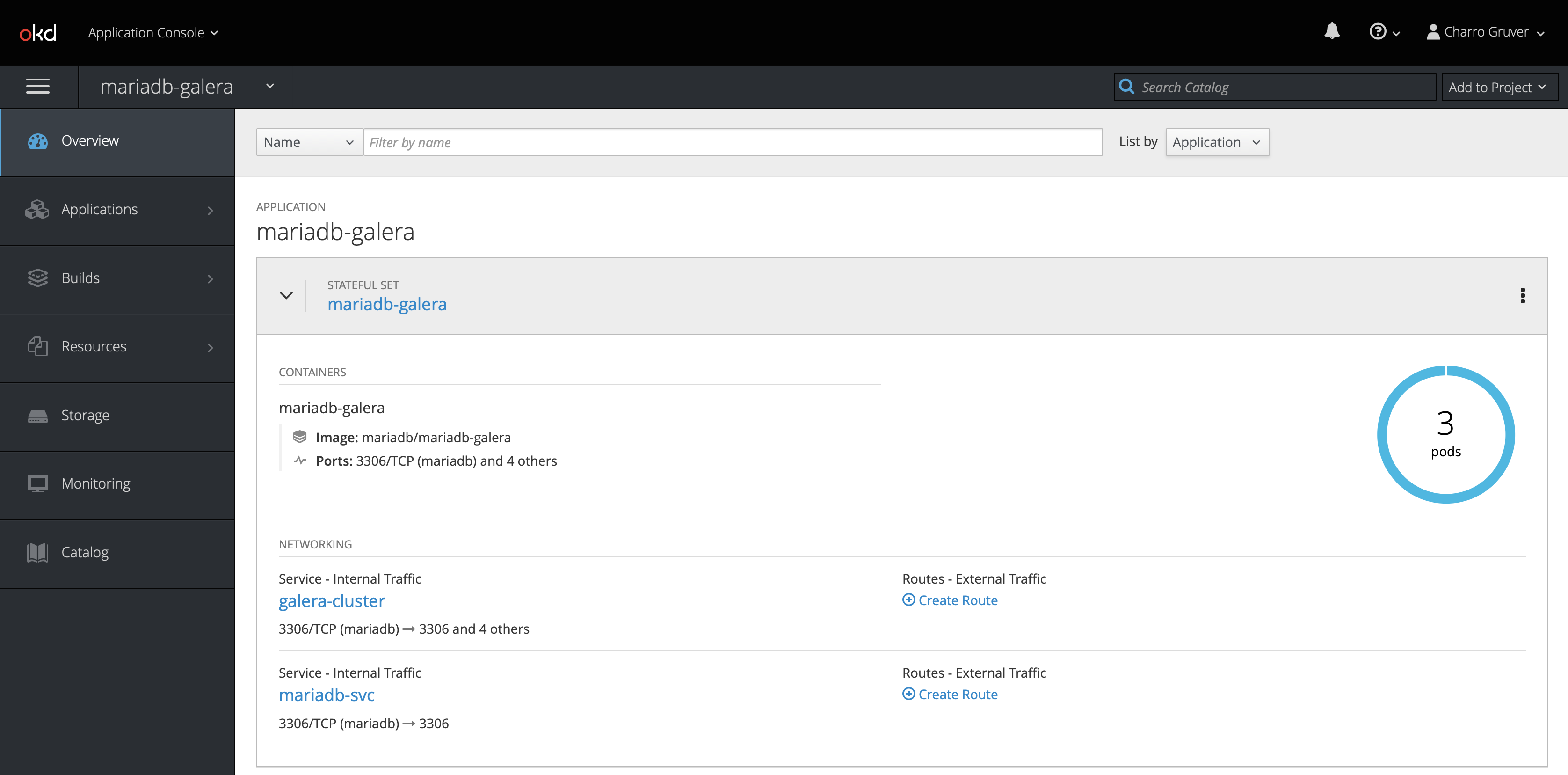
Deploying a MariaDB Galera cluster into OpenShift:
Let’s look at the OpenShift deployment files in the OKD-Deploy folder.
galera-iscsi-volumes.yaml: Sample file for creating PersistentVolumes if you don’t have a dynamic volume provider installed.mariadb-galera-configmap.yaml: ConfigMap with the MariaDB configurationmariadb-galera-headless-svc.yaml: Headless service for inter-pod communicationsmariadb-galera-loadbalance-svc.yaml: Service for database connectionsmariadb-statefulset.yaml: StatefulSet deployment definition
The OpenShift deployment is a StatefulSet. A StatefulSet is a special kind of deployment that ensures that a given pod will always get the same PersistentVolumeClaim across restarts. For more information, see the official documentation here.
Before we deploy, you may have to modify mariadb-statefulset.yaml to reflect the type of PersistentVolume storage that you are using. I have provided some examples below. The file, as provided, will use your cluster’s default storage provider which must be able to dynamically provision PersistentVolumes.
-
Using the default storage class (Assuming dynamic provisioning)
... volumeClaimTemplates: - metadata: name: data spec: resources: requests: storage: 50Gi accessModes: - ReadWriteOnce ... -
Using a dynamically provisioned storage class. In this case, I have set up GlusterFS as both a block provisioner as well as an object store provisioner. This example will request iSCSI mapped block devices from the
gluster-blockstorage provisioner deployed into my OpenShift cluster.... volumeClaimTemplates: - metadata: name: data spec: storageClassName: glusterfs-gfs-storage-block resources: requests: storage: 50Gi accessModes: - ReadWriteOnce ... -
Using pre-configured PersistentVolumes associated with a non-provisioning storage class:
Use this method in conjunction with the file:
galera-iscsi-volumeswhich must be modified to match your storage configuration. The example provided create a new storage class,mariadb-sc, and configures iSCSI attached persistent volumes. I use a QNAP NAS-Book TBS-453DX to provide iSCSI luns to my home lab. It requires manual configuration, but teaches you a lot about storage management.... volumeClaimTemplates: - metadata: name: data spec: storageClassName: mariadb-sc resources: requests: storage: 50Gi accessModes: [ "ReadWriteOnce" ] selector: matchLabels: app: mariadb-galera ...
Now, let’s deploy MariaDB: (Assuming that you are logged into your OpenShift cluster)
-
Create a new Namespace:
oc new-project mariadb-galera -
Create the service account for our MariaDB deployment, and add the
anyuidSecurity Context Constraint to the service account. This will allow the MariaDB pod to run as UID 27 like we defined in our Dockerfile.oc create sa mariadb -n mariadb-galera oc adm policy add-scc-to-user anyuid -z mariadb -n mariadb-galera -
If you are using statically provisioned PersistentVolumes, deploy them now:
oc apply -f galera-volumes.yaml -
Deploy the MariaDB cluster:
 oc apply -f mariadb-galera-configmap.yaml -n mariadb-galera
 oc apply -f mariadb-galera-headless-svc.yaml -n mariadb-galera
 oc apply -f mariadb-galera-loadbalance-svc.yaml -n mariadb-galera
 oc apply -f mariadb-statefulset.yaml -n mariadb-galera
You should now see your MariaDB cluster deploying. Each node will start in series after the previous has passed it’s readiness probe. The podManagementPolicy: "OrderedReady" directive in the StatefulSet ensures that the cluster will always stop and start in a healthy state.